
What Managed IT Services Include for a Small Business
What do managed IT services for a small business actually include? Help desk, monitoring, security, backups and more, explained in plain words.
Everyone uses the phrase “managed IT services,” but few people explain it. If you run a small business, you want to know three things. What do you get? What does it cost? And is it better than calling someone when something breaks? So here’s what managed IT services include for a small business, in plain words.
What “managed IT services” means
With managed IT services, an outside company looks after your computers, network, email, security and backups. In return, you pay a fixed monthly fee. You don’t wait for things to break and then pay by the hour. Instead, the provider watches your systems all the time and keeps them updated. As a result, it fixes problems early, often before your staff notice.
In short, it’s like having an IT department without hiring one.
What managed IT services include
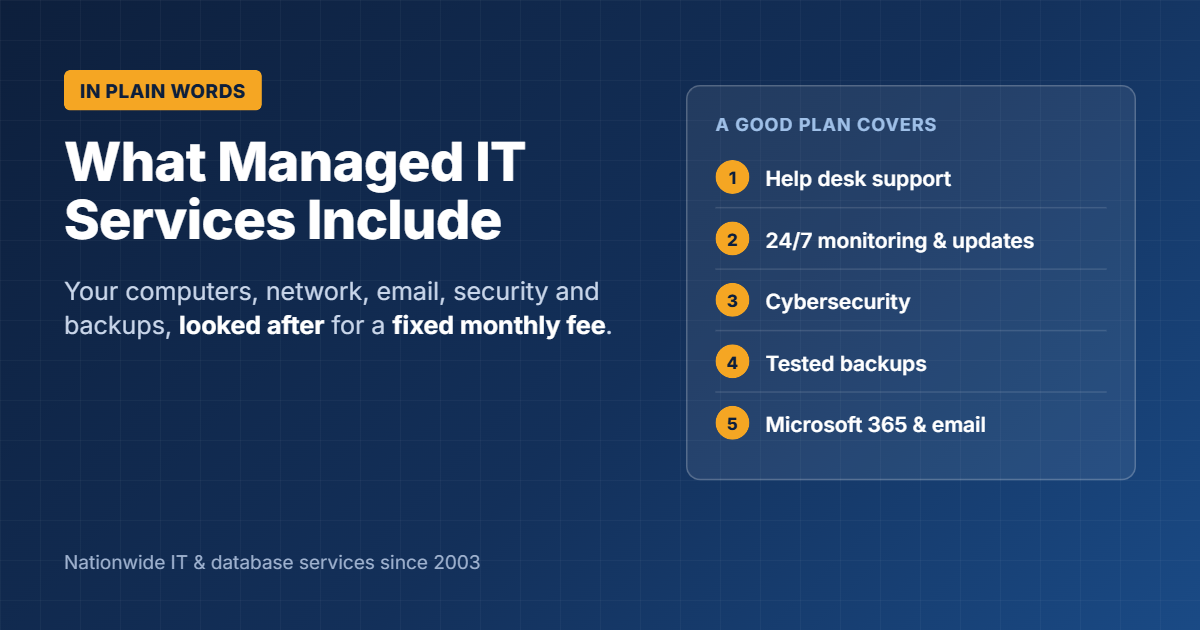
Of course, every provider packages things a little differently. However, this is what managed IT services include in a good plan for a small business:
1. Help desk support. Your staff get one number or email to call for help. For example, a printer jams, a password expires or a laptop won’t connect. The provider fixes most issues remotely, often in minutes. See our 24/7 help desk support page.
2. Monitoring and maintenance. For example, software watches your computers and servers around the clock and alerts the provider to problems such as a failing drive, low disk space or a server that’s offline.
3. Updates and patching. The provider installs Windows, Microsoft 365 and other updates on a schedule. That way, it closes security holes without interrupting your work.
4. Cybersecurity. Also, security is part of the plan, not an extra. That means antivirus, email filters, firewalls, two-step logins and staff training. Our cybersecurity protection page covers what this looks like.
What managed IT services include for data, email and staff
5. Backup and disaster recovery. The provider backs up your files, email and databases automatically. Then it stores copies off-site and tests restores regularly. Read more in our guide to data backup and recovery.
6. Microsoft 365 and email management. Similarly, the provider sets up and manages new users, mailboxes, licenses, shared files and Teams for you. See Microsoft 365 support services.
7. Network and Wi-Fi. The provider also sets up, secures and maintains your routers, switches, firewalls and Wi-Fi.
8. New staff and leavers. New employees get a working computer and accounts on day one. Likewise, when someone leaves, the provider removes their access the same day.
9. Planning and vendor management. Finally, a good provider helps you plan computer replacements and budget for upgrades. It also deals with your internet provider, phone company and software vendors for you.
What managed IT services usually don’t include
Before you sign, ask about these to avoid surprises. Providers often bill them separately:
- New hardware and software licenses
- Big projects, like an office move or a move to the cloud
- Custom software development
- On-site visits beyond a set number per month
Managed IT services vs. calling someone when it breaks
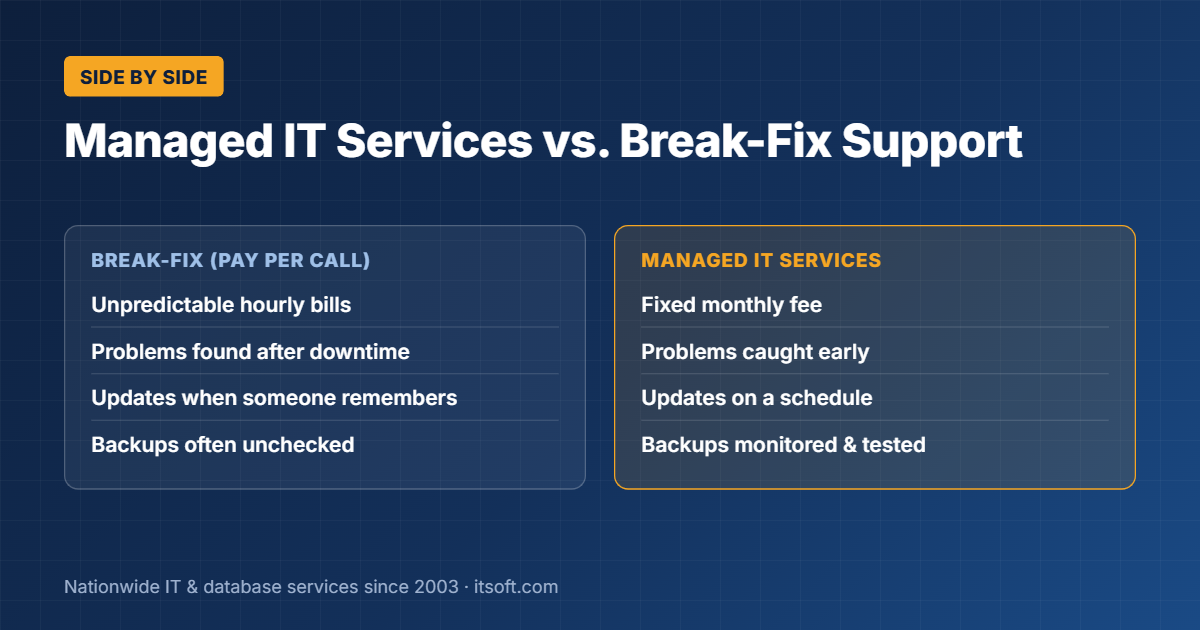
| Break-fix (pay per call) | Managed IT services | |
|---|---|---|
| Cost | Unpredictable, by the hour | Fixed monthly fee |
| When problems are found | After they cause downtime | Often before staff notice |
| Security updates | When someone remembers | On a schedule |
| Backups | Often unchecked | Monitored and tested |
| Planning | None | Regular reviews and budgets |
| Who it suits | Very small offices with simple needs | Most businesses that depend on their computers every day |
What do managed IT services cost?
Usually, providers charge per user or per device each month. However, the price depends on a few things. How many people and devices do you have? How much security do you need? And does the plan cover on-site visits? That’s why you should ask each provider to write down what managed IT services include in their plan. Then you can compare quotes fairly.
Questions to ask about what managed IT services include
- What managed IT services include in your monthly fee, and what costs extra?
- How fast do you respond, and is that in the contract?
- How do you back up our data, and how often do you test restores?
- Who owns our passwords, accounts and documentation if we leave?
- Do you support Microsoft 365, our main business software and our databases?
Also, for free security basics, see CISA’s guidance for small and medium businesses.
Find out what managed IT services include for your business
ITsoft has supported small and mid-sized businesses since 2003. We cover everything from help desk and security to SQL Server databases and custom software. See our managed IT services for small business page for details, or get in touch and we’ll explain exactly what managed IT services include for your business.
Get a Free Managed IT Consultation
FAQs: what managed IT services include
Are managed IT services worth it for a business with fewer than 20 people?
Often, yes. After all, small businesses rarely have an IT person. As a result, problems land on the owner or office manager. So a fixed monthly plan helps. In fact, it keeps systems secure and frees up their time.
Can managed IT services work alongside our existing IT person?
Yes. For example, many businesses use “co-managed IT.” In that setup, the provider handles monitoring, security and after-hours support. Meanwhile, the in-house person handles day-to-day requests.
Is on-site support part of what managed IT services include?
Most plans cover remote support plus a set number of on-site visits. So check how many visits the plan covers each month and what extra visits cost.
How long does it take to switch providers?
Usually a few weeks. First, the new provider documents your systems. Then it installs monitoring tools and takes over accounts and passwords in a planned handover.
Related reading: Remote IT support: what it can fix and what it can’t · IT security audit · Business continuity planning