
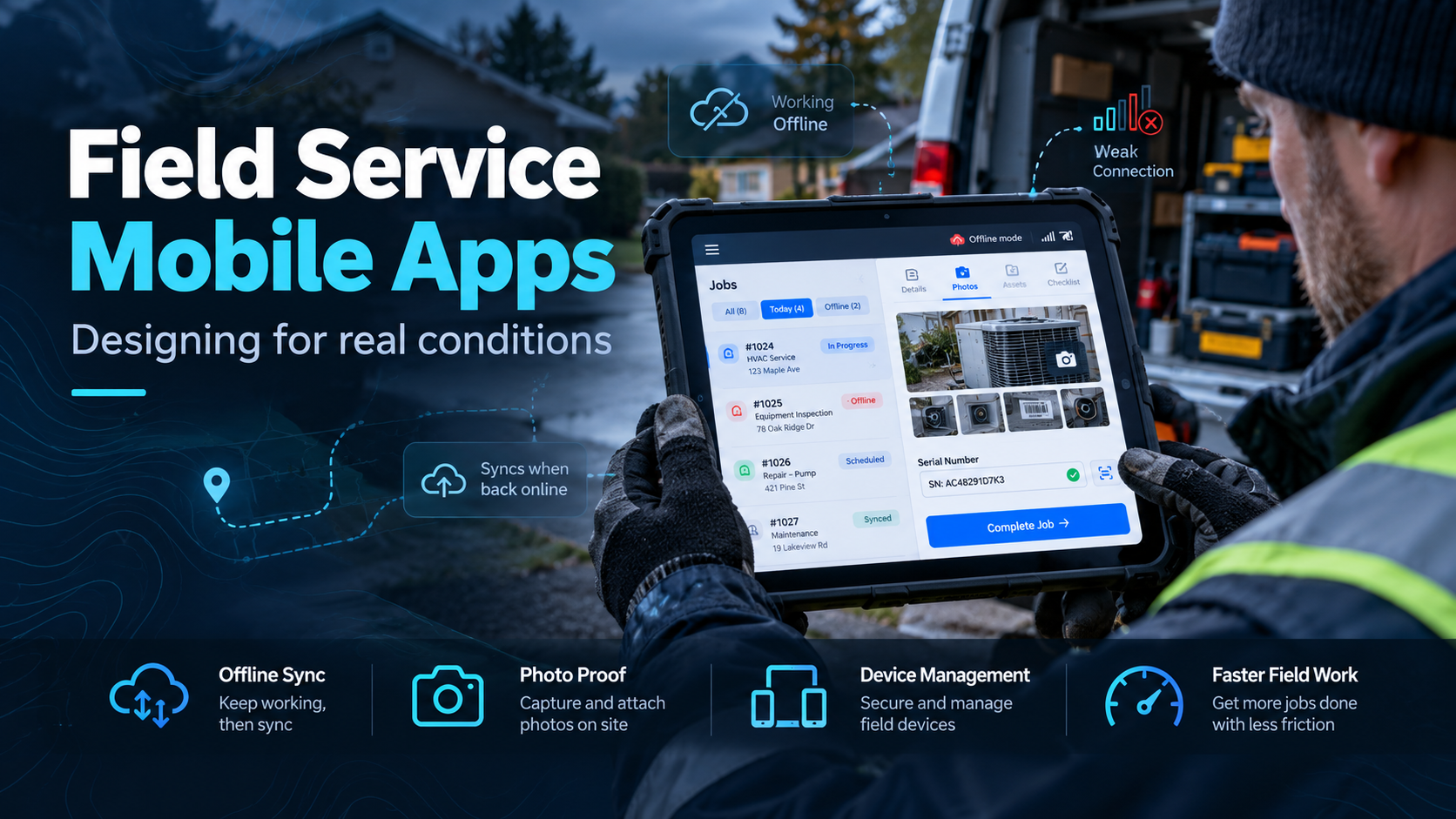
Field Service Mobile Apps: What Breaks in the Driveway and How to Design for It
Every field service mobile app demos beautifully. Good signal, a charged device, a well-lit room, and someone who wrote the software driving it.
Then it goes to a crew, and the first job is a refrigerator in an unfinished basement with no signal, in February, worn by someone in gloves who has eleven more stops before dark.
We have built Android tablet applications for field crews since the mid-2000s, used at customers’ homes across the United States. Almost everything we know about designing these came from the gap between those two situations.
Why a Field Service Mobile App Must Work Offline
The single most consequential decision in a field application is whether it assumes connectivity. If it does, it will fail, because the places field work happens are the places signal does not reach — basements, garages, metal buildings, rural service territory, and the inside of a service elevator.
Offline-first means the device holds everything the crew needs for the day before they leave, records work locally, and syncs when a connection returns. It is more work to build than an app that calls a server for every action, and it is the difference between a tool and a liability.
Three things that follow from it, each of which gets discovered the hard way:
The day’s work has to download in advance. Job list, customer details, eligibility status, program rules. If the crew has to be online to see their next stop, they will be standing in a driveway unable to work.
Conflicts have to have an answer. A dispatcher cancels a job while the crew is offline, and the crew completes it. Both events are real. The system needs a defined rule for which wins and a way to surface the collision to a human, rather than silently picking one.
Sync failure has to be visible. A crew member needs to know at a glance whether their work has made it back. A quiet queue that fails all afternoon is worse than an error, because nobody knows to act.
Design for gloves, sunlight, and one hand
A field application is not a desktop application on a smaller screen. The operating conditions are different in ways that change the interface.
Touch targets need to be large. Gloves are imprecise, and a mis-tap that submits the wrong outcome is expensive to unwind.
Contrast has to survive direct sunlight. Subtle grey-on-white looks refined in an office and disappears outdoors.
Typing is the enemy. Every free-text field is a slow, error-prone interaction performed one-handed while holding something. Replace typing with selection wherever the data allows it — dropdowns, scanners, presets, photographs.
Assume interruption. The customer will ask a question mid-form. The app has to hold partial state without losing it, and resume where the crew left off.
Fewer screens beats prettier screens. Every tap is time, and time is jobs per day.
Required fields are a real trade-off
Here is the tension nobody warns you about: the fields you most need are the ones crews are most tempted to skip.
Make a field optional and it gets skipped on the busy days, which are the days that matter. Make it mandatory and you have blocked a job from completing while someone stands in a customer’s kitchen, which means the crew will enter something — anything — to get past it.
Bad data entered under pressure is worse than a blank, because it looks valid in reporting.
What works better than blanket rules:
- Capture what is observable rather than what requires judgment. A photograph and a serial number are objective. “Condition rating, one to five” is not.
- Validate at the point of entry. A serial number in an impossible format should be caught immediately, while the appliance is still there, not in a report next week.
- Offer a documented exception path. A “cannot capture, reason required” option produces better data than forcing a fake value, because the gap becomes visible instead of invisible.
- Explain why a field exists. A crew that knows the photograph is what defends a claim behaves differently from one that thinks it is bureaucracy.
Photographs, serial numbers, and proof
For most field operations, the photograph and the identifier are the two pieces of evidence everything else rests on.
Photographs need compressing on the device. Full-resolution images from a modern camera will destroy a mobile data plan and stall a sync queue. Compress before queueing, and keep enough resolution that a serial plate stays readable.
Capture the metadata that supports the photograph — timestamp and, where appropriate, location. That is what turns a picture into evidence of a specific job at a specific place.
Serial capture is better scanned than typed where a barcode exists. Where it does not, plate photographs plus a typed value with format validation is the practical compromise. Expect both to fail sometimes — plates are scratched, painted over, or behind the unit — and design the exception path accordingly.
Proof of completion — a signature, a photograph of the finished state, or both — closes the job and settles disputes that paperwork cannot.
Device Management for a Field Service Mobile App
This gets left out of software conversations and then becomes an operational problem.
Battery life has to cover a full shift with the screen at outdoor brightness, which is considerably shorter than the specification suggests. Vehicle charging is usually necessary. Cold weather makes it worse.
A field service mobile app should be designed around real working conditions, not ideal office conditions.
Someone has to own the fleet — what happens when a tablet is dropped, lost, or left in a truck overnight in winter. Device management, remote wipe, and a spare pool are all part of the real cost, and the spare pool is the part people skip until the first failure.
Rugged cases are cheaper than replacement tablets. So is a policy that the device stays in the vehicle rather than in a pocket.
Field crews turn over, so the app is the training
This is the argument for simplicity that carries the most weight commercially.
Field roles turn over faster than office roles. If a new crew member needs three days of training to use the application correctly, that cost recurs continuously and the quality of your data tracks whoever is newest.
An application that a competent person can use correctly on their first day, with someone watching, is worth more than one with twice the features. Guided flow beats a screen full of options. A short, correct path beats a flexible one.
Where ITsoft fits
We build Windows and Android application programming for U.S. businesses, including tablet applications that field crews have used daily for years in real working conditions. That experience is mostly a catalogue of things that went wrong first — sync queues that stalled silently, fields that got filled with nonsense under time pressure, batteries that died at three in the afternoon.
If you are specifying a field application now, the questions above are the ones worth settling before anyone writes code. If you already have one and the data coming back is not trustworthy, that is usually a design problem rather than a crew problem.
Talk to Mike Treat about a field application — we will walk how your crews actually work, where the data has to hold up, and what would need to change. The assessment is yours regardless.
Related reading: Windows and Android application programming · software and web development · legacy application modernization